Receive all updates via Facebook. Just Click the Like Button Below

▼

Showing posts with label Android. Show all posts

Wednesday, February 22, 2012

Ubuntu For Android Smartphones Coming For MWC


Canonical is preparing to show off Ubuntu for Android at Mobile World Congress next week. The Linux OS package will dock to a desktop and sync with the Android phones contacts and services.

Linux software distributor Canonical Feb. 21 introduced a version of its Ubuntu Linux operating system for Android, a platform tailored for multi-core Android smartphones that can dock with a keyboard and monitor.

The software, which Canonical will show off at Mobile World Congress next week, aims to let users sync their contacts, SMS/MMS and telephony services between the Ubuntu platform on their desktop computers and their Android smartphones.

When an Android smartphone is connected to a computer screen it launches a full Ubuntu desktop on the computer display, Canonical wrote in a press statement.

The company said this solution will provide the same desktop experience enjoyed by Ubuntu PC users, and includes hundreds of certified applications, ranging from office productivity to photography, video and music.

If some of that instantiation sounds familiar it's because Motorola Mobility (NYSE:MMI) likes to pair some of its high-end Android smartphones, such as the Atrix 4G, Photon 4G and Droid Razr devices, with a lapdock.

When the phone is connected to the lapdock, it launches a full Mozilla Web browser. Users may create and edit documents, make calls and conduct other productivity tasks through the phone/lapdock combination.

Similarly, Canonical said Ubuntu for Android provides corporate road warriors a "company phone that is also their enterprise desktop."

Canonical Founder Mark Shuttleworth further expects the desktop will actually be the "killer app" for phones powered by quad-core CPUs this year.

That's because Shuttleworth sees quad-core phones as powerful enough tpo drive desktop-like experiences when connected to monitors and keyboards.

The way Canonical constructed Android for Ubuntu shouldn't be a surprise at all. The company has essentially used Android as Windows in the mobile ecosystem. For example, Ubuntu on the desktop is also designed to support Windows applications, using thin client and desktop virtualization tools.

For Ubuntu for Android, the customized version of Ubuntu shoehorns in alongside the rest of Android. The software supports HDMI and USB, among other standard features in high-end handsets planned for late 2012.

Canonical also said Ubuntu for Android will dock with a tablet, and will include Ubuntu TV for entertainment aficionados.
Read More

Sunday, January 29, 2012

5 Hot Keyboard Apps for Android


It's an all too familiar scenario: You went ahead and bought a shiny new Android smartphone, but now, you realise that-having used physical keyboards all this while-you're finding it rather tough to adjust to typing on a touchscreen.

Add to that the fact that most smartphones running the Google OS don't come preinstalled with the best touch-typing software. But have no fear; help is at hand in the form of myriad alternatives. Check each one out to see what's right for you.


SwiftKeyX
The more you use it, the more SwiftKeyX adapts to your typing style to present to you eerily accurate word predictions. Reviews across the interwebs, including user polls, have awarded it glowing epithets, including the keyboard for "fat-finger typists", "the virtual keyboard Google would be crazy not to acquire" and it even makes it to various lists of essential apps for Android. 

The downside? Swift KeyX is free for use for just one month, after which you will have to shell out Rs 205 to use it further. Still, one month should be enough to figure out if it is indeed the keyboard for you. 

Swype
It's no guarantee, but there's more than a fair chance that your Android phone comes preinstalled with two types of virtual keyboards - the normal Qwerty and SWYPE. (Go to Settings > Locale and Text.

Alternatively, Settings > Language and keyboard). Activate SWYPE and you're ready to go... Now, unlike the traditional poke-to-type keypads, this software lets you input text by merely gliding along the alphabets of a word - this, without you having to lift your finger.

For example, to write MUMBAI, place your finger on M and then glide it over each of the subsequent alphabets U-M-B-A-I. Of course, sliding your fingers over your touchscreen keyboard will mean that you touch many unwanted alphabets, but SWYPE's inbuilt algorithm is intuitive enough to discard the rest and only use the letters you intended.

Type a new word, and you have the option to add it to your dictionary list so it readily appears the next time you input it. Oh, and just in case your phone doesn't come with SWYPE, you can get it for free at swype.com.

TouchPal
It is similar to SWYPE, but has a few tricks of its own that may turn out to be exactly what you were looking for in your virtual keyboard. For example, it lets you blind type on your touchscreen after you have gotten used to the keypad layout.

It does this by more or less learning your input patterns. It also studies the curves as you glide along the keypad to predict the words that you want to type. Seriously, though, these features must be seen to be believed. TouchPal also supports some unique gestures - swipe up to input a number and swipe down for a special character.

And one can even cut, copy and paste from the keyboard itself. Currently, it is free for use as part of public beta. Check it out at www.cootek.com.

ICS Keyboard
In 2010, a company called BlindType demonstrated superb text-prediction software that worked with Android. But before the company could release its product, it was snapped up by Google. Now, some of that technology has made its way to the keyboard in IceCream Sandwich - the latest version of Android.

Well-meaning hackers have taken this keyboard out from ICS and put it up on Android Market for people using older versions of the Google OS. Features in the free version of ICSK include multi-touch, built-in dictionary, configurable auto correction, speech to text (select languages only), custom vibration intensity (haptic feedback), long press "Enter" key to bring up smiley alternatives and even long press on the "/" key in URL mode to bring up domains.

Go Keyboard
This free app on the Android Market is easily one of the best-looking keyboards for the Google OS. In fact, users can choose between various themes that are available for download. Other features include auto-correct as you type, multi-point touch keyboard, support for slide input. And if you are someone who likes to personalize their apps, you will love the customization options-position of various keys, size, smileys and so on-that Go Keyboard offers.

via TOI

Read More

Tuesday, January 24, 2012

Must-Have Android Apps For Business

Any time you move to a new phone, you've got to determine if the software you've grown accustomed to or dependent upon will work on your new device. If you're moving from one device to another that uses the same mobile OS, this isn't a huge issue, but when moving from, say, a Blackberry to an Android smartphone, you have some big decisions to make.

There's a great deal of valuable software in the Android Market that can help you make the switch. Finding it is the hard part. Here are my suggestions for must-have apps that can help busy road warriors integrate a new Android phone into their daily routine.

Android Agenda Widget. Whether you are a C-level exec or a busy soccer mom, having your schedule in front of you when you turn on your device is a must. Unfortunately, the Android Calendar widget leaves a great deal to be desired. Android Agenda Widget from Everybody all the Time comes to the rescue. With its ability to display multiple calendars and support a number of different display sizes, this free Android widget fills a huge hole and makes it easy to keep your next appointment in front of you.


Go Weather. Everyone I know loves the HTC Clock & Weather widget. It's too bad you'd have to root your non-HTC device with a custom ROM to enjoy the same features. Fortunately, plenty of Android Market developers have jumped in with their own weather apps that provide a similar look and feel to HTC's popular widget. One of my favorite freebies is Go Weather.

Like the HTC widget, the app can display not only the current time and weather conditions on your home screen, but extended local forecast information. The app supports skinning and full-motion HD video, and has live wallpaper as well as a status bar icon that displays current temperature information for the location you're currently "following." This temperature status bar alone is worth installing Go Weather on any device you have.

Launcher Pro. Android's stock program launcher is okay, but there are better launchers out there at very reasonable prices. Take Launcher Pro, a free launcher that provides access to not only the standard Android application tray but also an unlimited number of scrollable docks. Launcher Pro also uses less memory than HTC's Sense UI widget. The $3.49 registered version gives you access to the app's custom home screen widgets.

Note: Using Launcher Pro on a Sense UI device might disable the interface.

Google Voice. Any Android phone can benefit from Google Voice. Its deep OS integration allows free, unlimited text messaging through your standard cellular data connection. Regardless of your carrier or voice and data plan, Google Voice's coveted visual voice mail features let you manage your voice mails like online emails, including filing and archiving. Sprint users get the added benefit of using their standard cell number as their Google Voice number without having to port their number to Google Voice, thanks to an agreement between Google and Sprint.


Google Maps with Navigation. Although Google Maps is a standard application from Google, not every Android device has it installed. This might be the case for you if your wireless carrier has a branded navigation app. In that case, installing and using this free, turn-by-turn navigation app is high on my recommended application list. It's one of the best free navigation apps available, and its data connection dependency for map delivery insures that you've always got the latest maps for your geographic area.

Read More

Friday, January 13, 2012

9 Great Phones At CES 2012 - Part 2


9 Great Phones At CES 2012 - Part 1

Sony Xperia Ion (AT&T)
The first Sony-branded smartphone, the Xperia Ion offers a stunning 4.6-inch, 720-by-1280-pixel (720p) glass screen and a 12-megapixel camera. Under the hood is a 1.5GHz dual-core Qualcomm Snapdragon processor that can handle PlayStation-caliber games in addition to music and video. Android 2.3 (Gingerbread) is the unfortunate default OS, but Sony is promising an ICS upgrade later this year. Sony is still sorting out just which PlayStation games will work on this thing (PS1? PS2? Xperia Play? Tablet?), but it's clear the Xperia Ion will be a serious competitor on its arrival in the second quarter.

HTC Titan II (AT&T) 
America's first 16-megapixel camera phone is here, and it's a doozy. The massive HTC Titan II sports Windows Phone 7.5, LTE data speeds, and a 4.7-inch screen, and can snap photos with a resolution of 4,640-by-3,840 pixels. The rest of its specs aren't as impressive, thanks to some leftover Microsoft-specified restrictions, but you still get a fast (single-core) 1.5GHz Qualcomm Snapdragon S2 processor, 480-by-800-pixel screen resolution, 720p camcorder, and 16GB of internal storage (albeit with no memory card slot).

Nokia Lumia 900 (AT&T)
Now this is what we were waiting for. Nokia finally shows off its first high-end Windows Phone 7 device, as the preceding Nokia Lumia 710 was too budget-oriented to inspire much buzz. The LTE-equipped Lumia 900 packs an 8-megapixel-camera, Carl Zeiss optics, and a 4.3-inch AMOLED Clear Black display. As part of Microsoft's last CES keynote, the powerful Nokia Lumia 900 may be a fitting sendoff.

Huawei Ascend P1 S (Carrier TBA)
Who would have expected the world's thinnest smartphone to come from Huawei? The Ascend P1 S is just 0.26 inches thick, which is two hundredths of an inch thinner than the Motorola Droid RAZR. The Ascend P1 S impresses in other ways too, with a 4.3-inch, 540-by-960-pixel Super AMOLED display, a 1.5GHz TI OMAP 4460 dual-core processor, a pair of cameras, and Android 4.0 (Ice Cream Sandwich) preloaded. No word on a carrier yet for this one, though.

Lenovo K800 (China's Unicom)
Intel's Atom chip was fine for low-power netbooks, but it has traditionally been too power-hungry for smartphones. The Lenovo K800 could change that, at least in China—and, if successful, finally brand Intel as a player in the smartphone market, after years of empty promises and false starts. The K800 is no slouch otherwise, either, with a 4.5-inch, 720p multi-touch screen, Wi-Di, and a massive battery. We're keeping a close eye on this one, as well as Intel's other deal with Motorola, which could bring us a U.S. device sooner rather than later.

Read More

9 Great Phones at CES 2012 - Part 1


This has been a heck of a year for phones. We're fast approaching the point where smartphone users outnumber regular cell phone users here in the U.S. Consequently, we expected big things out of CES 2012—and it looks like we got them for the most part.
In fact, many of the best announcements at CES 2012 happened either just before or at the start of the show. This year's lineup of goodies includes a heavy focus on next-generation 4G LTE data networks—including from Sprint, in a marked shift away from 4G WiMAX—plus plenty of Android 4.0 (Ice Cream Sandwich)-powered phones, NFC chips, dual-core processors, and even 12 and 16-megapixel camera sensors all vying for the spotlight.


Apple wasn't at the show as usual. But the story still centers around iOS and Android, as those are the top two smartphone platforms now. HP killed off webOS this year. Research in Motion was a non-factor and only showed off more of the same, albeit with a few significant OS revisions. The real comeback story could lay with Microsoft's Windows Phone 7.5, a slick OS that's getting a big push thanks to more advanced hardware, Nokia's return to the U.S. market, and a vast increase in the number of third-party apps available. Still, it's a steep hill for Nokia and Microsoft to climb.
With all that in mind, here are the coolest, most significant phones announced at CES this year. Many of these should hit stores by the second quarter, so get ready to count off the remaining months on your current two-year contract.

LG Spectrum (Verizon Wireless)
High-definition phones are beginning to appear in earnest. The LG Spectrum sports an ultra-sharp 720p screen in a slimmer, lighter form factor than the existing (and also 720p) HTC Rezound. In addition to 720-by-1280-pixel resolution, the screen is "advanced high-def IPS," which to our eye looks brighter than other phones we've seen at least on the show floor. Text appears stunningly crisp even at tiny font sizes. It also packs a video editing program and an HD-specific app store, which the Spectrum should handle easily thanks to its 1.5GHz dual-core processor and 4G LTE network support . No Android 4.0 (Ice Cream Sandwich) out of the box, but LG is promising an update by June 2012.

Motorola Droid 4 (Verizon Wireless)
The Motorola Droid 4 may be the nicest QWERTY Android phone yet, with a sleek slider design, a laser-cut five-row QWERTY keyboard with sharp edge lighting, a 1.2GHz dual-core processor, and (finally) 4G LTE data speeds. It also works with Motorola's array of Webtop mode accessories, including 10- and 14-inch Lapdocks, an HD Docking Station for the living room, and a Vehicle Navigation Dock. This one could push the remaining BlackBerry users—the ones dedicated to their hardware keyboards—over the line to Android if RIM doesn't right its ship soon.

Samsung Galaxy Nexus (Sprint)
The first flagship Ice Cream Sandwich phone, the Samsung Galaxy Nexus, jumps over to Sprint, adding back the Google Wallet capability that Verizon Wireless had disabled along the way. The oversized 4.65-inch Super AMOLED screen and dual-core processor are impressive, but in this case take a back seat to LTE—Sprint's brand new, next-generation 4G network that it's powering up in 10 cities by the middle of this year.

LG Viper (Sprint)
The Galaxy Nexus may have the spotlight, but the LG Viper could be Sprint's Q-ship for 2012. It may snag even more buyers, thanks to its more manageable 4-inch screen size, brushed metal back panel, and lower price than the Galaxy Nexus. It only runs Android 2.3 (Gingerbread) out of the box, but its LTE radio, dual-core processor, and NFC compatibility mean it still has the future in mind.

9 Great Phones At CES 2012 - Part 2


Read More

Search App updated for Android 2.2 & 2.3


Google has taken to stealth updating Search and Maps for Android while attention is squarely placed on CES this week. The updates for Maps for Android center on improved battery life with Latitude now featuring faster refreshes for locations and adds the ability to guess location based on vehicle speed if the GPS signal is lost during a drive and offers more public transportation route options for supported public transit systems.

Google has also updated its Search for Android to feature faster, smoother performance, with an updated and simplified user interface. Suggestions for search are now grouped by type, with web suggestions at the top as well as country-specific suggestions and search results for all countries with Google domains with long press capability added to remove history items.

Some additional tips from Google on the new Search for Android:
1. Tap the arrow to the right of a search suggestion or history item to add it to your search term before searching.
2. Get suggestions from other apps on your phone – check out searchable items in Search settings.
3. Long press on home screen to add the Google Search widget, if you don’t have it already, to access search faster.

With the latest update to Maps, Google is seeking to address the biggest issue with the application in battery life compared to previous versions as well as adding additional features for users of public transport while Search being updated for Gingerbread and earlier versions for Android is Google’s attempt to continually maintain the Search app for those versions of Android while gradually transitioning to the newly merged Ice Cream Sandwich.

Read More

Huawei uncloaks sleek, slim, sexy Smartphones


Chinese telecom giant Huawei has unveiled a pair of high-end Android smartphones, including one that it dubs "the world's slimmest smartphone" – and at a mere 6.68mm, it's a skinny li'l fellow, indeed.

The Huawei Ascend P1 S, like its 7.69mm sibling, the Ascend P1, runs Android 4.0, aka Ice Cream Sandwich. Both are powered by a dual-core Texas Instruments OMAP 4460 Cortex-A9 processor running at 1.5GHz, joined by an SGX 540 graphics engine.

Both handsets have a 4.3-inch, 960-by-540 Super AOLED qHD display protected by Corning's hardened Gorilla Glass, and the PS 1 manages to stuff that display into a body that's just 6.48mm wide. At that width, the metal-frame bezel on the right and left of the display is exceptionally thin.

Both phones provide a broad range of UMTS/GSM 3G and HSPA+ 4G connectivity capabilites, and Huawei chairman Richard Yu promised his audience at the phone's rollout on Monday at the Consumer Electronics Show in Las Vegas that his company's 20 years-plus experience in mobile infrastructure gives them a leg up in providing quick, clear connections. "We know the network," Yu noted, modestly.

Yu also claimed that the new handsets' 1670mAh and 1800mAh batteries will provide a 30 per cent increase in battery life over competing smartphones, and that their OMAP processors make the devices "the fastest in their class."

The phones are also equipped with Dolby Mobile 3.0 Plus 5.1 surround sound. "Now you can take your home theater music system away with you – a really fantastic user experience," Yu boasted.

Also notable is the software provided along with the phones' 8-megapixel, 1080p HD video–capable, rear-facing camera (a 1.3 megapixel front-facing camera supports video calls). Among other tricks, the software offers face-distortion fun à la Apple's Photo Booth, panoramic image-stitching, in-camera image editing, low-light enhancement, and improved close-up images.

One feature of the camera and its software that we found especially intriguing is the ability to automatically take five shots of a group of people and have the phone's face-recognition technology choose which image includes the best shot of each subject – eyes open, for example – in the five-photo group and combine them into a single image.

Other specification nuts and bolts include 4GB ROM and 1GB RAM (expandable to 8GB with a microSD card), Bluetooth 3.0 HS, 802.11b/g/n Wi-Fi, HDMI, dual-microphone noise reduction, PDF and PowerPoint editing, dual LEDs for its rear -facing camera, and the near-ubiquitous compass, accelerometer, and gyroscope. You can choose black, white, or "cerise" – aka red.

Yu didn't announce any carrier partners, but said that the Ascend P1 and P1 S would be available in April. Although carrier-subsidy deals have yet to be cut - or, at least, announced - he estimated that the phone would likely be priced at around $400. Both phones will be available in China, Europe, Asia-Pacific, North America, Australia, and the Middle East at launch.

In the limited time we had to handle the P1 S, it seems that Huawei is jumping into the high-end smartphone market with both feet, and landing in a quite attractive location – the phone is solid, sleek, swift, and sexy. There's a manufacturer of a relatively chubby (9.3mm) and less-capable smartphone in Cupertino, California, that might want to look to its shiny-shiny laurels.


Read More

CES 2012: Vimeo launches app for Windows Phone and Android


Vimeo launches first ever Windows Phone and Android application at CES 2012.

Video sharing site Vimeo was in attendance at CES in Las Vegas and announced versions of its app for Microsoft's Windows Phone 7 platform as well as both smartphone and tablet builds for Android.

We spoke to Vimeo lead developer Joe Schmitt about the new launches and asked how Vimeo's app was aiming to appeal to users and compete with Youtube, which comes pre-installed on many devices.

Schmitt described the experience as ‘totally different' to Youtube, emphasising that Vimeo's focus was on using a device's camera to shoot and upload video seamlessly. ‘It's about shooting first,' he said, ‘Youtube is just a viewing experience.'

Schmitt also made a point about the community-driven aspects of Vimeo, the fact that Vimeo is built around uploading and editing high quality video footage and has a following of ‘enthusiastic' amateurs as well as professionals.

Vimeo is trying to bring its desktop experience to mobile devices, according to Schmitt. He said the company had paid great attention to the interface and design to create a ‘uniquely mobile' experience and emphasised the goal of having an app which looks attractive and feels good to use.

At its most basic it allows users to login to their Vimeo account, view, capture and upload video content, and to comment and interact with the content and community.

Schmitt said a good deal of work had gone into the tablet interface for the Android version: ‘We look at them [tablets] as a different device and really try to make use of the screen real estate to browse, comment and view simultaneously.'

According to Vimeo you'll be able to multi-task extensively within the app itself. It'll also be specifically optimised for the Amazon Kindle Fire to give the ‘best experience' possible.

For the Windows Phone 7 build, Schmitt said the company was ‘really excited' and explained that this was ‘not just a port'. Vimeo has taken Windows Phone's unique interface into consideration and designed the app around it. ‘It's visually different but functionally the same,' said Schmitt.

The company also revealed it would be updating its iOS app in the new year. The new build will feature native iPad support with a similarly tablet-tailored interface tweaked for Apple's larger device.

Perhaps the most stand-out feature of the app, which will at first be exclusive to the iOS build but will come to other platforms later, is the in-built editing suite which Schmitt said will include a music store with licensable music tracks, something he described as a ‘huge advantage' to users.

Read More

Thursday, January 5, 2012

Add Cool Effects on Your Android Mobile Images with Pho.to Lab app

Are you an Android phone user and want to add some cool effects on your clicked images. You can do this easily with Pho.to Lab android app, there are so many apps are available in the market which do the same, but Pho.to Lab app is one of the best. Pho.to Lab is a split of over 450 unique effects such as multiple comic pictures creation, backdrops, photo montages, virtual picture postcards, mashups, mosaics, beautifully framed photos, animations, jigsaw and coal & paper filters and many others.The app is easy to navigate thanks to gesture-based interface.


In simple words with the help of this free app you can design your photos by adding frames and special effects so easily. If has lots of features which help you to add cool effects on your image and it allows you to share your creation through MMS or e-mail and can also socialize the final image via Facebook or Twitter.


Check out some of the cool features of Pho.to Lab Android app:-

  1. Photo Montages allows automatic face detection, so you can turn yourself or your friend into Darth Vader, Rambo.
  2. Photo Effects. With the help of this feature you can put your photo on famous international magazine cover page.
  3. Photorealistic Effects put your face onto museum walls, a soccer fans banner, in a hot off the press newspaper; airbrush yourself on exclusive cars or leave your face as a sand imprint on the beach.
  4. Photo Filters includes neon glow, fire, jigsaw puzzle, pencil drawing and more.
  5. Collages is best and unique way of combining different photos in one.

Pho.to Lab android is one of the best free app for android users with huge collection of photo templates, photo effects, montages and more.

Try the Pho.to Lab Android app here

Read More

Saturday, December 31, 2011

Rumor: LG to Show Atom-Based Android Smartphone


Citing a top-ranking executive, The Korea Times reports that LG Electronics will be the first to manufacture smartphones using Intel's Medfield platform for Atom SoCs, and will even showcase one Android-based model curing CES 2012 in the next few weeks. While LG declined to officially confirm the report, Intel Korea chief Lee Hee-sung verified that Intel chief executive Paul Otellini will release Intel’s first Android smartphone using the Medfield platform during the show.

But the Korean Times also points out Intel's lack of experience in the mobile sector, and that unnamed sources have raised doubts about the viability of the partnership. After all, prior to the release of the Medfield platform, Atom chips have reportedly drawn too much power to be used in portable gadgets smaller than a netbook.

"But one clear point is that Intel is spending heavily for more efficient mobile chips for phones and tablets," the unnamed LG executive reassured.

Even if the Intel/LG relationship report is true, this will be the couple's second attempt to present an Atom-based smartphone during CES. Back in 2010, LG revealed the 4.8-inch GW990 prototype smartphone that would have used Intel's MeeGo. The duo planned to release the device by the end of the year, but later decided it would be too impractical and reportedly scrapped the project instead.

But one LG executive disputes the current report, saying that the company will likely push reference models instead of a full-blown Android device. "Personally, I doubt that LG Electronics will release phones running on Android software based on any Intel platform," the unnamed executive stated. "It’s quite possible for LG to push Intel’s reference mobiles but with huge subsidies from Intel for promotion."

Another LG executive even added that Intel is getting nervous over the growing emergence of AMD in Korea, and that a partnership with LG would be a good thing. Last year AMD's Korean branch doubled its revenue compared to the previous year due to LG rival Samsung expanding its notebook lineup using AMD's CPU. AMD claimed 7-percent of the Korean market as of the end of November 2011, up from 4-percent in 2010.

If Intel and LG plan to introduce the first Medfield-based Android smartphone during CES 2012, then we'll get to see the unveiling sometime between January 10 and January 13, so stay tuned.
Read More

Forget PIN Numbers, Apple Wants to Let You Unlock Your iPhone With Your Face

Currently, if you have a passcode for your iPhone, it's the one where you have to unlock it by typing in a code. However, according to ReadWriteWeb, Apple now wants to simplify your life and have you unlock your iPhones with your face. While the feature is already available on jailbroken phones, Apple has filed a patent to make it available on every iPhone. The way the feature would work is pretty self explanatory. You pick up your locked iPhone, place it a few inches away from your face (with the front camera viewing your face, of course) and once approved, your iPhone is unlocked.


This feature is already available on Android phones with Ice Cream Sandwich with Face Unlock as well as Nokia phones running Symbian 3 and higher. However, as noted in the case of Android phones, the feature is not entirely secure, because it can unlock phones using photos of the "password face". However, Apple is reportedly working on the technology to combat this issue. The feature would use a  two-dimensional analysis of the way facial features are placed. It would also check skin tone and cross-check those details against "target images" that were previously captured by the device.
Read More

Friday, December 30, 2011

Review : Motorola Defy+


One of the late 2011 trends has been for Android manufacturers to give their handsets a subtle make-over. That’s certainly what the Motorola Defy+ proves to be. It might be water and dust proof, but has this minor refresh been able to weather the effects of time?

Specs
Screen: 3.7-inch, 854 x 480 resolution
Connectivity: 3G, Wi-Fi, GPS
Camera: 5-megapixel, autofocus, LED flash
Storage: 2GB, microSD up to 32GB
Battery: 1700mAh
Size/Weight: 107 x 59 x 13.4 mm, 118 grams

Design and build quality

So rugged was the original Motorola Defy that even its design has proved indestructible. That’s the conclusion we have to draw, at least, as the Defy+ looks and feels nigh-on identical to the original.
That means a fairly compact, lightweight device that feels rather plasticy and even flimsy. Closer inspection, of course, reveals the Defy+ to be anything but. Its riveted seams, rubberised port covers and heavy latched battery cover are what have led to the device being award IP67 status (if hardly making it pretty). This means it’s completely dust proof and able to survive full submersion into a shallow body of water.
Don’t let the surprisingly thin, flexible battery cover fool you either. Motorola has rather ingeniously made it curve outwards, so you have to exert real force to pin it in place and slide the latch across in order to secure it. This tension means that it forms a solid, unflexing part of the chassis when in place.
Despite these utilitarian features, from the front the Defy+’s milimalistic screen-and-capacitive-buttons style makes it look reasonably modern, if a little bland.

Screen
As with the general design, the Motorola Defy+’s 3.7-inch LCD screen remains unchanged from the original. We were reasonably impressed with this unit a year ago, but a year is a long time in mobile. Now, it looks a little washed out and lacking in colour even on full brightness.
In its favour, the mixture of a 3.7-inch size and 854 x 480 resolution results in a picture that’s nice and sharp, with none of the fuzziness that  has accompanied even recent high-end smartphones like the Motorola RAZR and HTC Sensation XL.

Usability
While the original Defy shipped with Android 2.1 and later received an upgrade to Android 2.2, the Defy+ comes with Android 2.3 out of the box. While it’s no Ice Cream Sandwich, it is a reasonably up to date OS with all the functionality Google has managed to pack in since the second phase of the Android operating system began.
It’s still not the slickest mobile operating system around, though. Menu transitions and app load-ups are reasonably quick and smooth, but are still not on a par with iOS or Windows Phone running on similar hardware.
Speaking of hardware, Motorola is claiming a 25 per cent speed boost thanks the Defy+’s new 1GHz processor (the original had an 800MHz example). That’s more than enough to run apps and most games pretty well, which remains a rare treat for rugged phones such as this.
We’re still not big fans of the MotoBlur UI, though. It’s ugly, clunky, and offers nothing of any great value over the default Android experience. In its favour, it doesn’t transform the Android OS too much – that’s damning with faint praise.

Camera and media playback
The camera here is the same unimpressive 5-megapixel unit as can be found in the original Defy. That means washed-out colours in decent light and lots of noise in poor light.
In its favour we were reasonably impressed with its speed – both in terms of booting the camer app up and in terms of how quickly the autofocus gets a lock and initiates the snap. It won’t be toppling any of the big hitters in this regard, but then that’s not what Motorola is aiming for. Video recording is pretty bog-standard. In fact, at a pretty underwhelming QVGA resolution it’s arguably sub-standard in a time when 720p is becoming the least we expect.
Media playback seems to be of acceptable quality, with the sharp screen and decent processor ensuring a reasonably video experience. The most notable strength here is probably the Defy+’s unusually strong speaker. It’s all very mono and slightly tinny, but at least it’s loud and clear (which is more than can be said for many handsets we test).

Apps
It’s an Android 2.3 phone with a solid 1GHz procesor, so the Motorola Defy+’s app support is predictably fine. Long the source of much frustration among Android users, the Android Market in its latest iteration is actually a fairly nice place to browse through. Meanwhile the app range is second only to Apple’s App Store in both range and quality. What’s more, there’s a high percentage of free apps on the Android Market, so you can increase the Defy’s usefulness significantly without spending a penny.
We also liked the pre-loaded Media Share app that lets you get connected to and stream media over DLNA-compatible devices.Cardio Trainer could also be of some use to Defy+ users given the phone’s rugged outdoor-friendly positioning.

Battery life
One notable improvement over the Motorola Defy is the battery. The old device’s 1540mAh unit has been swapped out for a 1700mAh example. This is a positive step, of course, and it should help you clear a day of moderate usage easily. However, you’ll probably still want to charge up at the end of every day, just to be on the safe side. Until smartphones bust through the two day barrier, that’s always likely to remain the case.


Verdict
Essentially unchanged from the year-old original, the Motorola Defy+ is even more of a niche device than it was before. If you’re an active sort who wants smartphone features, this could be for you – otherwise go with a similarly priced Android alternative from HTC, Samsung or Sony Ericsson.


Read More

Review : HTC Sensation XL


HTC has launched their new Sensation XE, which was soon followed by the pricier HTC Sensation XL. Considering that there is no dearth of high-end smartphones, these days, HTC will have to try hard to impress people with the new XL model, which rivals the iPhone 4S in terms of pricing. With a price of nearly Rs. 40,000, there are a lot of expectations to be met.

Form Factor
The HTC Sensation with its 4.7-inch screen is larger than the XE, by quite a bit. It is also larger than the iPhones, by far. The Sensation XL uses S-LCD, 480x800 resolution screen, which is smaller than the XE’s 540x960. This is obviously a little odd, considering you are paying a lot more for the Sensation XL. The density of the screen is a bit less than the Sensation XE. The screen is bright and vibrant and the viewing angles are great, too. Even though the display has a slightly denser screen, it is still very detailed.


The look and the feel of the phone is very sleek. The front of the phone has a bright white panel, while the back has a light grey, almost silver panel with a large HTC logo blended into it. The rear panel, like some of the recent HTC phones looks like two separate pieces but in fact, is just one piece. It has two elements in it - one plastic and the larger piece that feels like metal. The panel fits in neatly and is released by pressing a slim button positioned at the base of the phone. On the inside, the battery sits beside the SIM card and there’s no way to pull out the SIM without removing the battery. There’s no sign of a memory card slot, either.

On the outside, the phone feels great but the rear panel makes it a little slippery, so if you have to be extra-grippy while holding the phone in your hand. The larger screen makes it heavier than the XE with a weight of 162g as compared to the XE’s 151g.

Features and Performance
Interface
The Sensation XL runs Android 2.3.5 (Gingerbread) and features HTC’s own custom Sense UI 3.5 interface. ICS should be hitting the phone as well. Development on ROMs and rooting apps have already begun over at XDA Developers. The phone runs a 1.5GHz processor with 768 MB of RAM. Now, the Sensation XE, the cheaper of the two runs a 1.5GHz processor as well, but that’s a dual-core. When you use the interface, there are no signs of slowdown and it runs perfectly fine. Let’s keep in mind that the majority of Android phones running Gingerbread still run hardware, which is slower than 1GHz. Animations and the transition effects are smooth. File transfer rates to the phone are decent at around 8 MB/s - this was using a simple file copy operation. AnTuTu recorded a write speed of 7.1 MB/s. Read speeds are way more impressive reaching 34.5 MB/s - reaching the peak performance limit of USB 2.0.


The main apps menu shifts in pages, instead of a non-stop flowing interface. Press the back key and you’re back to the app menu, instead of the home menu.


Media
Media playback is fine. Use a third-party media player and you’ll face no problems playing back HD content on it. Switch to the default player and you’re bound to run into issues playing some formats. HTC bundles a pair of Beats Audio earphones with the phone. This is the same one that we used on the Sensation XE. The quality of these earphones is decent, but it’s not worth the premium HTC charges for the phone.The earphones emphasize the bass a bit and the highs aren’t too bright at the same time. The beats audio enhances the bass, the moment you plug-in the earphone. Personally, I’m not very impressed by the detail or the sound signature. FM radio is also present on the phone.

Connectivity
In terms of connectivity, the Sensation XL is similar to the XE - a quad-band phone with 3G support. The usual Bluetooth 3.0 and Wi-Fi 802.11n standards are also supported. The Sensation XL has no memory card slot, which is unfortunate, since you won’t be able to upgrade to a larger 32GB storage space using a memory card.


A little more than 12GB of memory is available to the user, but the entire device has 16GB of memory, which is shared with the operating system. This kind of space should be enough to install a whole bunch of apps and store media.

Misc Features
The usual set of apps are bundled with the phone. HTC’s set of customized apps that come bundled with the HTC Sense UI are all present. The notifications bar acts as a task manger and lets you quickly switch between apps. Switch to the Quick Settings pane and you get the menu to quickly switch key components of the phone on or off - Mobile Network, Wi-Fi hotspot, Bluetooth, etc. There’s even a small mention of how much free memory space is available on the phone.


Customizing the interface and look of the phone is also easy. The customization feature allows users to quickly add widgets, apps, shortcuts and folders through a single app. There are even tabs for the display style and also sound themes, something like you would on a desktop OS. There’s a flashlight app that lets you use choose from different levels of intensity for the rear flash. Polaris Office - an office suite and Reader - an eBook reader are just some of the apps bundled along with a game or two. Personally, we’d recommend going all out and installing a whole bunch of third-party Android apps from the market.


Camera
The camera on the HTC Sensation XL is a large 8MP one. There are two LEDs at the rear that act as the flash. The camera outputs images with resolution spanning 3264x1952. The quality of the images is good in outdoor conditions - Despite, some visible noise, there was a good bit of detail.


This is due to use of smaller sensors on mobile phone cameras. Overall, the quality of the camera isn’t mindblowing, but it is good. Exposure metering is a little off and images with bright and dark regions can appear very contrasting. Colours are fairly natural. The forward facing 1.3MP camera produces average quality images, especially in low light areas.


There are a whole bunch of tweaks that can be done as well. The interface of the camera makes it very easy to make these adjustments quickly.


Battery
The battery on the Sensation XL is a 1600mAh one. The XE in comparison comes with a larger, 1730 mAh battery. We ran our usual battery drain tests. We started by first running a movie clip non-stop, till the battery had no juice left. The battery lasted 6 hours and 6 minutes. The second battery test that includes running the phone for an hour and a half on a voice, then playing music for two hours, then streaming music over Wi-Fi for two hours, finally followed by playing two and a half hours of video. Under this test scenario, the battery gave up after around 8 hours of usage, which is pretty good. Under everyday use conditions, this phone will last you for roughly a day, before you’ll need to recharge it.

Verdict
The HTC Sensation XL is both good, yet disappointing. On one hand, it’s a great looking device, which does everything you want it to. The issue is with its price and what it offers for that price. HTC sells the Sensation XL in the market for around Rs.38,799 (MRP of Rs. 39,990).


The cheaper Sensation XE offers a smaller screen, but it’s denser - which means more workspace, it has a memory card slot, which means one can upgrade the storage capacity by a lot and it has a lot more power - a dual-core processor. You get all for roughly Rs.5,000 less. If you’re looking for a large screen device, we’d recommend the Samsung Note. If you’re looking for something smaller and affordable, the Sensation XE is an excellent buy.

via Tech2

Read More

Friday, December 23, 2011

Review : Sony Ericsson Xperia Arc S


Sony Ericsson has been a manufacturer of great quality smartphones since its birth a decade back. Sony Ericsson Xperia Arc S is an amazing successor to Xperia Arc, which is scarcely half a year old. The new version of Xperia Arc is known for its superfast 1.4GHz turbo processor, brilliant display, great camera with stunning panoramic capability and others.

The device features the same super slim case design and 4.2-inch display of its predecessor. But the firmware is Android 2.3 Gingerbread and it has a bit more powerful processor. Here we are going through the complete specs and features of Xperia Arc S, of course, one of brilliant Sony Ericsson phones ever.

Sony Ericsson Xperia Arc S Tech Specs
Form factor
Like most of smartphones from Sony Ericsson, Xperia Arc S is also a thin and cute smartphone. The device has almost the same body design of its predecessor Xperia Arc with the dimensions of 125 x 63 x 8.7 mm and weight of 117 grams.

Display
The new Sony Ericsson smartphone features a 4.2-inch color TFT display with a resolution of 854 x 480 pixels. The multitouch display has lots of high end capabilities. Xperia Arc S is a wonderful phone with its large and bright display that you can use to surf web, watch videos and play games in a great ambiance.

CPU & GPU
Xperia Arc S is powered by a 1.4GHz Scorpion Qualcomm MSM8255T Snapdragon CPU and Adreno 205 GPU. It makes the new Arc S perform better than its predecessor.

RAM
512MB of RAM.

Storage
The device comes with an 8GB built-in memory and microSD slot that supports 32GB external memory stick.
Camera
An 8.1-megapixel rear camera with 3D sweep panorama is one other brilliant feature of Xperia Arc S. The camera has autofocus, LED flash and check quality and it features video calling, geo tagging, touch focus, smile detection, image stabilization and 720p video recording. There is no secondary camera on the gadget.

Connectivity
You have GPRS (up to 86 kbps), EDGE (up to 237 kbps), HSDPA (14.4 Mbps), HSUPA (5.8 Mbps), Wi-Fi 802.11 b/g/n, DLNA, Wi-Fi hotspot and Bluetooth v2.1 with A2DP, EDR on the Sony Ericsson smartphone.

Ports
MicroUSB v2.0 and USB on-the-go support.

Battery
The standard Li-Po 1500 mAh offers up to 7.5 hours talk time for Arc S.

Others
Notable other features of the Xperia Arc S contain HDMI port, active noise cancellation feature, TrackID music recognition, NeoReader barcode scanner, Google Search, Google Maps, Gmail, G-Talk, YouTube, Calendar, document viewer, Facebook and Twitter integration, predictive text input and many others.

What makes it special?
Reality Display
The 4.2-inch LED back-lit screen of Xperia Arc S is crisp and sharp thanks to the Reality Display with Mobile BRAVIA Engine. The display has enhanced contrast, less image noise and rich color and many more stunning features for crystal clear performance.

3D panoramic capture
The camera of Sony Ericsson Arc S is capable to take 3D panoramic stills. You can stun your friends with great 3D images. It is one of the most-valued and breathtaking features of Xperia Arc S.

Entertainment at the great speed
Thanks to a 1.4GHz turbo processor, Xperia Arc S provides great performance especially for gaming and entertainment. Sony Ericsson has a long tradition in launching high quality products for gaming and entertainment.

Drawbacks
The Arc S does feature no radical modification from its predecessor. The device is just a copy of its Arc predecessor, which came into stores six months back. The new phone’s CPU is a single core and its case is a bit cheaper in quality.

Price and availability
Sony Ericsson sells the new Arc smartphone for £380.
Wrap-up
The Xperia Arc S is yet another dazzling smartphone from Sony Ericsson. The company has really launched the new version of Arc with some stunning features to take on leading phones of the time, the iPhone 4S, Droid RAZR and others. There is a line of typical customers for Sony Ericsson’s high end smartphones. Xperia Arc S is the latest phone from the company.

Read More

Monday, December 19, 2011

Review : Samsung Galaxy Nexus

Each year, several dozen smartphones land on our collective desks. They come in different shapes and sizes, boast different features and sell at different price points. We take each of them for a spin and review most of them, but only a handful really stand out. This is especially true with Android handsets, where incremental updates appear to be the modus operandi. Every now and then a device comes along that we really look forward to getting our hands on. Google's line of Nexus smartphones falls into this category, setting the new standard for Android each year.
In early 2010, the Nexus One became the yardstick for all future Android handsets and, later that year, the launch vehicle for FroYo. A year ago, the Nexus S introduced us to Gingerbread on the popular Galaxy S platform. Now, a few weeks after being unveiled with much fanfare, we're finally able to sink our teeth into Ice Cream Sandwich with the Galaxy Nexus, arguably the latest addition to Samsung's critically acclaimed Galaxy S II family. So, does this highly anticipated device live up to our expectations? Is the Galaxy Nexus the smartphone to beat? Most importantly, is Ice Cream Sandwich ready to take Android to the next level? In a word, yes. Read on for our full review.

Hardware
There's absolutely no doubt that the Galaxy Nexus is a big phone. Sure, it's not Galaxy Note large, but it's a smidgen taller (and narrower) than the HTC Titan. As such it dwarfs its predecessor, the Nexus S. While this could be an issue for some folks, we didn't have any trouble fitting the handset in our pockets. Despite its size, the Galaxy Nexus manages to be quite thin (8.94mm / 0.35in) and light (135g / 4.76oz). As a result, it feels wonderful in hand. Design-wise, the Galaxy Nexus looks like what we imagine would happen if we stacked a Nexus S and a Galaxy S II and flattened them with a rolling pin. Last year's shiny black lacquer gives way to a satiny gunmetal gray finish that manages to be at once more refined and more understated. Build quality is typical Samsung -- the plastic construction is durable but looks and feels cheap for such a flagship device.

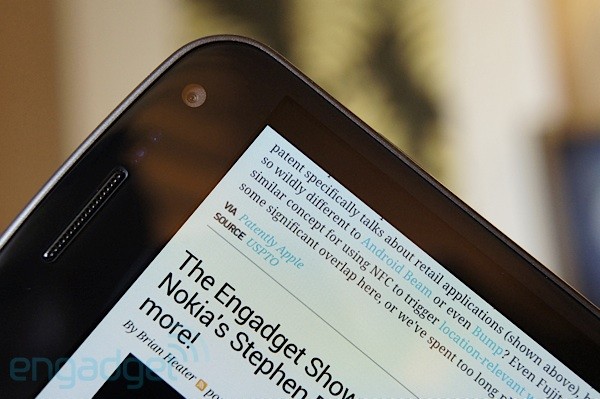
In front, the Galaxy Nexus is almost identical to the Nexus S, with a sheet of "reinforced" curved glass hiding sensors and a 1.3 megapixel front-facing camera to the right of the earpiece. Notably absent are the familiar capacitive buttons, which have been replaced with three softkeys in Ice Cream Sandwich. There's also a notification light just below the display, something we'd like to see on all phones. The back blends the curves from the Nexus S with a textured battery cover and oval camera pod reminiscent of the Epic 4G Touch. While the battery door uses the same snap-on design as most Galaxy S II variants, we found it harder to snap shut. The camera pod is home to a five megapixel autofocus shooter and single LED flash. A microphone is cleverly hidden in the seam of the battery cover, above and to the right of the camera pod, and the speaker is located on the signature chin at the bottom of the device. Google and Samsung's logos are stenciled on the battery door.
All the controls and ports follow the exact same layout as on the Nexus S. You'll find the headphone jack, micro-USB connector and main microphone along the bottom edge of the handset, the volume rocker on the left side, the power / lock key up along the right side and nothing on the top edge. There's a series of three gold contacts below the power / lock button, presumably for an optional charging dock -- something that Nexus One owners will be familiar with. Under the battery cover, this unlocked HSPA+ version is home to a 1,750mAh NFC-enabled battery and a standard SIM slot nestled to the right of the camera pod. Sadly, there's no removable storage on the Galaxy Nexus.

With its clean and rather plain design, the Galaxy Nexus doesn't exactly stand out in a crowd (except, perhaps, for its size), but this all changes the instant you see the screen. The 4.65-inch HD Super AMOLED display (1280 x 720 pixels) is simply beyond par. Gorgeous doesn't even begin to describe this screen -- try amazing, jaw-dropping, mind-boggling. As we mentioned in our first impressions, fonts are crisp, colors are vibrant, blacks are deep and viewing angles are exceptional. Yes, the panel is similar to that of the Galaxy Note, which means it's PenTile, and yes, the HTC Rezound features a beautiful 4.3-inch 720p TFT display with a proper RGB matrix, but the writing's on the wall: Super AMOLED is brilliant, and it's only getting better.
Considering most Galaxy S II variants are powered by Samsung's in-house Exynos SoC, with some models using Qualcomm's Snapdragon S3 and NVIDIA's Tegra 2, we were surprised to discover that the Galaxy Nexus eschew all of these in favor of TI's OMAP 4460, a dual-core 1.2GHz Cortex A9 CPU with a PowerVR SGX540 GPU, paired here with 1GB of RAM. Our unlocked HSPA+ review unit boasts 16GB of built-in storage (the LTE version comes with 32GB). Unfortunately -- and unlike Gingerbread -- Ice Cream Sandwich only supports USB Mass Storage on removable media, leaving MTP and PTP as the only options to transfer content to / from the phone via USB.

In terms of radios, you'll find WiFi a/b/g/n, Bluetooth 3.0, GPS / AGPS and NFC. Moreover, the Galaxy Nexus is the first Android device with a pentaband 21Mbps HSPA+ radio (that's 2100, 1700 / AWS, 1900, 900, and 850MHz bands), meaning it's compatible with both T-Mobile and AT&T's 3G / "4G" networks in the US. A quadband EDGE radio provides legacy support. Rounding up the spec list is the usual bevy of sensors -- accelerometer, compass, gyroscope, light and proximity -- along with a new kid of the block, known as a barometer. Speaking of sensors, we experienced problems with the auto-brightness setting, which would dim the screen too much in low light, while behaving normally in daylight. Hopefully, this will be fixed in a future software update.

Performance and battery life
The Galaxy Nexus is definitely one of the fastest Android handsets we've ever played with. Everything feels snappy, everything looks fluid -- Ice Cream Sandwich isn't just a new version of Google's mobile OS, it's what happens when Android hits the gym and becomes lean and mean. That being said, the Galaxy Note, with its dual-core 1.4GHz Exynos processor and optimized build of Samsung's TouchWiz 4.0 UI, still wins in terms of perceived speed. Getting the most performance from Android 4.0 requires a few tweaks. Not all the live wallpapers are fully optimized (for example, Phase Beam is, but Water isn't). Developers have to add a single line of code to their apps to take advantage of 2D hardware acceleration -- you're able to enable this as the default for all apps by checking "Force GPU rendering" in the Developer Options.

Looking at our benchmark results, it's clear the Galaxy Nexus is no slouch. We're not going to read too much into the Quadrant score, since we're not even sure the app works properly in Ice Cream Sandwich, but it's close to what we observed on the HTC Rezound. The results for most of the other tests match those from the Motorola Droid RAZR (similarly powered by TI's OMAP 4430 chip), except for Neocore, which would crash each time we tried running it. Most impressive is the Sunspider score, which is the lowest we've ever recorded on any phone. In fact, the entire web browser is blazingly fast -- gone is the signature lag that's familiar to anyone who's ever browsed the web on Android.
We didn't experience any issues with network performance. Calls sounded loud and clear on both ends (thanks in part, no doubt, to the dual microphone setup), and data speeds on T-Mobile and AT&T matched our expectations for this type of radio, with results as high as 8Mbps down and 1.7Mbps up. Some European owners have documented erratic volume problems when connected to 900MHz GSM networks -- something we were unable to reproduce here in the US for lack of compatible bands -- but Google's already promised a fix. Audio quality is fine when listening to music. The Galaxy Nexus is able to drive a variety of headphones and earbuds without trouble, and the speaker is surprisingly decent.

Battery life is excellent. While we only managed to squeeze about five hours and 15 minutes from our battery rundown test (where we play a looped video starting from a full charge), it matches what we saw with the Droid RAZR, which features a similar battery and processor. Note that we switched video players since our usual app misbehaves in Ice Cream Sandwich. The 1,750mAh battery fared significantly better in our battery usage test (where we use the device normally until it shuts down), lasting an impressive 28 hours. Other than watching videos, it's unlikely most people will have to worry about running out of juice with the Galaxy Nexus.

Camera
We're just going to come right out and say it. The five megapixel autofocus camera on the Galaxy Nexus is underwhelming, and to be clear, we're not referring to the specs, but to the actual pictures. In the year since the introduction of the Nexus S, we've witnessed significant improvements in camera performance, first with Samsung's Galaxy S II, then with HTC's myTouch 4G Slide, and more recently, with Apple's iPhone 4S. Each of these handsets combines an eight megapixel backside-illuminated sensor with a fast wide-angle autofocus lens, and takes wonderful shots. It's not clear why Google passed on using Samsung's flagship camera module, but it's a real shame. While the Galaxy Nexus shooter is extremely fast and introduces plenty of new features, it provides little (if any) improvement in picture quality over the Nexus S.

The new camera app is incredibly quick and borrows a lot of functionality from existing third-party Android shooters, such as touch-to-focus, continuous autofocus, face tracking, zero shutter lag and panorama. It's easy to take several shots per second by repeatedly tapping the on-screen shutter key. Google clearly put a lot of effort into revamping the camera app. It's simple and intuitive, with three primary modes of operation -- video, stills, and panorama. Video recording now supports 1080p capture (720p using the front-facing sensor), real-time effects (think Photo Booth with face tracking) and time lapse (a feature we're particularly fond of). While there's no dedicated two-stage camera button, holding the on-screen shutter key locks focus and exposure, and releasing it snaps the picture. Sadly, the volume rocker doesn't double as a zoom control, but there's an on-screen slider.

Most of the time, it's possible to coax the Galaxy Nexus camera into taking reasonably nice shots. Color balance is quite good, but exposure is sometimes off due to the sensor's narrow dynamic range. We also noticed that bright images exhibit some haze. Pictures snapped in low light suffer from significant noise and loss of detail. The Galaxy Nexus captures 1080p video with mono audio (despite the dual microphone setup). While the frame rate maxes out at 24fps, the camera supports continuous autofocus. Ice Cream Sandwich features a comprehensive photo editor within the Gallery app (complete with Instagram-like filters) and a dedicated video editor called Movie Studio.

Software

Sure, the Galaxy Nexus is a beautiful and powerful piece of hardware, but that's only part of the story. More significantly, it's the launch device for Google's highly anticipated new version of Android -- Ice Cream Sandwich -- the company's most significant mobile OS update yet, with a laundry list of improvements. As such, we approached the new software with lofty expectations, and while we weren't disappointed, we were surprised by the extent of the changes, to the point where we found ourselves having to undo years of old Android habits.

There's a definite learning curve to Ice Cream Sandwich that's ultimately rewarded with a more attractive design and a more coherent user experience. Gingerbread's lime green-on-black color scheme gives way to a more subtle light blue-on-gray motif, and for the first time, we're getting a better sense for where Android is headed -- a clearer identity, which is fantastic news. That being said, we're not convinced that Android 4.0 will be more intuitive for first-time users -- it still feels geared towards people like us: the nerdy, tech-savvy, geeky and power-hungry set. Let's dive into the details.

After turning the Nexus on for the first time, you're greeted with the familiar Android setup process. New accounts are invited to join Google+ and Google Wallet. There's also a slick tutorial that's sure to lower the learning curve for first-time users and seasoned aficionados alike -- something we initially skipped, but would have eased our transition to Ice Cream Sandwich. We were also pleased to see our settings restored and all of our apps downloaded and installed after logging into our Google account, something that never appears to work properly on the myriad Android devices we regularly get our hands on.

The first change you're likely to notice is the new lock screen, which shows the time and date using Android's lovely new font, Roboto, and displays album art and audio controls during music playback. Slide the padlock icon to the right and it unlocks the handset, slide it to the left and you're dropped into the camera app (a clear nod to HTC's Sense 3.0 UI). It's now possible to access notifications directly from the lock screen by pulling down the notification tray. Another interesting -- if perhaps somewhat gimmicky -- new feature is face unlock, which unlocks the Galaxy Nexus upon recognizing your face (or a picture of your face, as it turns out). Convenience and novelty are the name of the game here, not security.

More differences come to light when looking at the five home screens. As we already mentioned, the Nexus lacks hardware buttons, which have been replaced with three softkeys at the bottom of the screen -- back, home and recent apps. The latter lists recently accessed apps using thumbnails containing a snapshot of each app. Tapping on an app's thumbnail switches to it, and flicking apps to the side removes them from the list. Unlike a real task manager, there's no proper way of closing apps. Just like in Honeycomb, a virtual menu button (represented here by three vertically stacked dots) appears to the right of the main row of softkeys when running legacy apps. While this usually works, Facebook fails to display this virtual menu button for some reason, forcing us to live with the annoying default notification settings.
Ice Cream Sandwich includes additional persistent items across all five home screens -- the favorites tray just above the softkeys and the search bar just below the notification area. You're able to customize the favorites tray with four apps of your liking, two on either side of the app tray button -- something that's likely familiar to anyone who's used a third party launcher before. For better or for worse, the search bar now takes up a tiny sliver of real estate at the top of each home screen. Strangely, the search bar also lives on as an optional widget.

Speaking of which, the app tray now includes two tabs -- one for apps, and one for widgets, along with a button to access the Android Market. Gone is the ability to add widgets and shortcuts by long-pressing anywhere on the home screens, but just like in Honeycomb, many of the stock widgets are now resizable. The app tray no longer scrolls vertically, but consists of multiple pages that are accessed by swiping left or right -- complete with a nifty animation. A welcome feature is the ability to drag an app from the app tray on top of an existing app in the home screens to create app folders. While there's no way to create app folders within the app tray itself, it's now possible to uninstall apps without leaving the app tray.

The notification tray is more polished in Ice Cream Sandwich. It enables quick access to the settings menu (since there's no more hardware menu button) and allows the user to dismiss individual notifications by flicking them to the side. Audio controls have also been added to the notification tray, and only appear while listening to music. The settings menu also benefits from a welcome overhaul, with the controls grouped in three sections -- the oft-used wireless settings at the top, the device settings in the middle and the system settings at the bottom. Screenshots are now finally an integral part of Android -- just press the power / lock key and the volume down button simultaneously and observe the magic.
We're happy to report that Android 4.0 provides much improved text input and a consistent, system-wide clipboard. The keyboard is now significantly more accurate, with better word prediction and a spell checker that underlines mistyped words in red -- just touch any mistyped word to see a list of suggestions. Continuous voice input is now supported in any input field and displays spoken text in near-real-time. Long-pressing any text selects the current word, and brings up the selection carets along with a clipboard bar with buttons for select all, cut, copy and paste.

Google also fitted Ice Cream Sandwich with a comprehensive and intuitive set of tools to manage data usage. You're able to monitor total data usage and per-app data usage with separate counters for mobile networks and for WiFi. Better yet, it's possible to set a warning threshold as well as a hard limit beyond which the phone will stop using data over mobile networks altogether -- something sure to come in handy for anyone with one of those pesky tiered data plans. There's also a way to turn off background data for individual apps, forcing them to use WiFi instead.

Most of Android's core apps have been revamped as well, and feature a more intuitive layout. The Gmail app gains multiple text sizes, the calendar adds a neat pinch-to-zoom feature, and -- as we mentioned above -- the Web browser is much improved, especially in terms of performance.

Wrap-up
Let's not beat around the bush. The Galaxy Nexus is definitely the best Android phone available today -- it's possibly even the best phone available today, period. Sure, it's not perfect -- we're disappointed that the camera doesn't deliver the same wow factor as the rest of the handset. It's an alright shooter, but it's just no match for the state-of-the-art. There's also room for improvement in terms of build and materials quality. Still, there's no denying the satisfying look and feel, the stunning display, the impressive performance, the excellent battery life -- the whole is far greater than the sum of its parts.

Ice Cream Sandwich is phenomenal -- it represents a giant leap forward for Android and brings a whole new level of style and substance to Google's mobile OS. Still, while the design is more refined and the user experience more polished, we're not sure it's intuitive enough for first-time users. At the core, it's clear that Android remains targeted squarely at tech-savvy, power-hungry folks like us. No matter -- the Galaxy Nexus is proof that we can have our Ice Cream Sandwich and eat it too.

via Endgadget

Read More
Powered by Blogger.
Related Posts Plugin for WordPress, Blogger...